Skip to content
  • MyEyedro Cloud
  • Commercial
  • Residential
  • Support
  • Cart
  1. Home
  2. Docs
  3. MyEyedro User Guide
  4. Configuration
  5. Devices Configuration
  6. Device Limits
Updated on 22-Apr-2026
MyEyedro User Guide
  • Folder icon closed Folder open iconMyEyedro User Guide
    • Getting Started
      • Beginners Guide to MyEyedro Cloud Service
      • Account Access
      • Sign In
      • Sign Out
      • Navigating MyEyedro
      • Navigating MyEyedro Mobile
      • Help and Support
    • Plugins
      • Highlights
      • Demand
      • Consumption
      • Bills
      • Report Viewer
      • Net Meter
      • Compare
      • Utility DashboardBusinessPro
      • MeterBusinessPro
      • Delta TPro
      • Asset IntelligencePro
      • Asset DashboardPro
    • Tools
      • Data Exporter
      • Base Load
      • Peak Load
      • Cost Estimator
      • Unit Converter
      • Solar Calculator
    • Configuration
      • User
        • Changing your Username
        • Changing your Password
        • Update Preferences
        • License Keys
        • RETScreen KeyCustom
      • Sites
        • Add Site
        • Delete Site
        • Edit Site
        • Site Alerts
        • Site Sharing
        • Site Display Groups
        • Site Limits
      • Rates
        • Getting Started with Rates
        • Bill Profiles
        • Add Bill Profile
        • Delete Bill Profile
        • Edit Bill Profile
        • Bill Profile Limits
        • Rate Profiles
        • Add Rate Profile
        • Delete Rate Profile
        • Edit Rate Profile
        • Fixed Rates
        • Time of Use Rates
        • Tiered Rates
        • Daily Tiered Rates
        • Tiered Time of Use Rates
        • Other Fees
        • Rate Profile Limits
      • Devices
        • Device Installation
        • Add Device
        • Delete Device
        • Device Info
        • Edit Device
        • Electricity Monitor Settings
        • Inline Monitor Settings
        • Pulse Monitor Settings
        • Temperature Monitor Settings
        • Mesh Gateway Settings
        • Update Device Firmware
        • Health Check
        • Device Alerts
        • Device License Keys
        • Device Limits
      • Display Groups
        • Add Display Group
        • Delete Display Group
        • Edit Display Group
        • Display Group Alerts
        • Display Group Sharing
        • Display Group Limits
      • Reports
        • Add Report Profile
        • Delete Report Profile
        • Edit Report Profile
        • Scheduled Reports
        • Report Types
      • Alerts
        • Alert Types
      • AssetsPro
        • Getting Started with AssetsPro
        • Asset ProfilesPro
        • Add Asset ProfilePro
        • Delete Asset ProfilePro
        • Edit Asset ProfilePro
        • AssetsPro
        • Add AssetPro
        • Delete AssetPro
        • Edit AssetPro
        • Asset LimitsPro
    • Reports
      • Usage and Cost with Graph
      • Usage and Cost
      • Net Meter
      • Renewable Generation MetricsBusinessPro
      • Renewable Generation RankingBusinessPro
      • Usage RankingBusinessPro
      • Asset MetricsPro
      • Asset RankingPro
      • Device SettingsPro
      • Device UptimePro
      • Events and AlertsPro
    • Alerts
      • Alert Limit Settings (common)
      • Device Inactive
      • Display Group Device Inactive
      • Site Device Inactive
      • Consumption ThresholdPro
      • Demand InstantaneousPro
      • Demand ContinuousPro
      • Demand AveragePro
  • Folder icon closed Folder open iconHome Energy Monitor
    • Home Energy Monitor Documentation Finder
    • Home Energy Monitor Installation and Product Guide
      • Important Safety Information
      • Box Contents
      • Hardware Installation
      • Internet Connection
      • Software Configuration
      • Specifications
      • Compliance
      • Warranty
      • Troubleshooting
  • Folder icon closed Folder open iconTroubleshooting Guide
    • No power
    • No internet
    • Negative or inverted power measurements
    • Intermittent or missing measurements
    • Unexpected or inaccurate measurements
  • Folder icon closed Folder open icon3-Phase Energy Meter
    • 3-Phase Energy Meter Documentation Finder
    • 3-Phase Energy Meter Installation and Product Guide
      • Important Safety Information
      • Box Contents
      • Hardware Installation
      • Internet Connection
      • Software Configuration
      • Local API
      • Specifications
      • Compliance
      • Warranty
      • Troubleshooting
  • Folder icon closed Folder open iconInline Power Meter
    • Inline Power Meter Documentation Finder
    • Inline Power Meter Installation and Product Guide
      • Important Safety Information
      • Box Contents
      • Hardware Installation
      • Internet Connection
      • Software Configuration
      • Local API
      • Specifications
      • Compliance
      • Warranty
      • Troubleshooting
  • Folder icon closed Folder open iconFlow Meter
    • Flow Meter Documentation Finder
    • Flow Meter Installation and Product Guide
      • Important Safety Information
      • Box Contents
      • Hardware Installation
      • Internet Connection
      • Software Configuration
      • Determine Meter K-Factor
      • Local API
      • Specifications
      • Compliance
      • Warranty
      • Troubleshooting
  • Folder icon closed Folder open iconTemperature Meter
    • Temperature Meter Documentation Finder
    • Temperature Meter Installation and Product Guide
      • Important Safety Information
      • Box Contents
      • Hardware Installation
      • Internet Connection
      • Software Configuration
      • Local API
      • Specifications
      • Compliance
      • Warranty
      • Troubleshooting
  • Folder icon closed Folder open iconEyedro Install Tool User Guide
    • Getting Started
      • Sign In
      • Sign Out
      • Navigating Eyedro Install Tool
      • Navigating Eyedro Install Tool Mobile
      • Help and Support
    • Device Setup Wizard

Device Limits

Device Limits are the number of devices that can be added to your MyEyedro account. These are limited by the level of access you possess. Visit the MyEyedro Cloud page for an overview of available packages.

  • There are currently no limits on the number of Devices that can be added to your MyEyedro Standard or Professional user accounts.
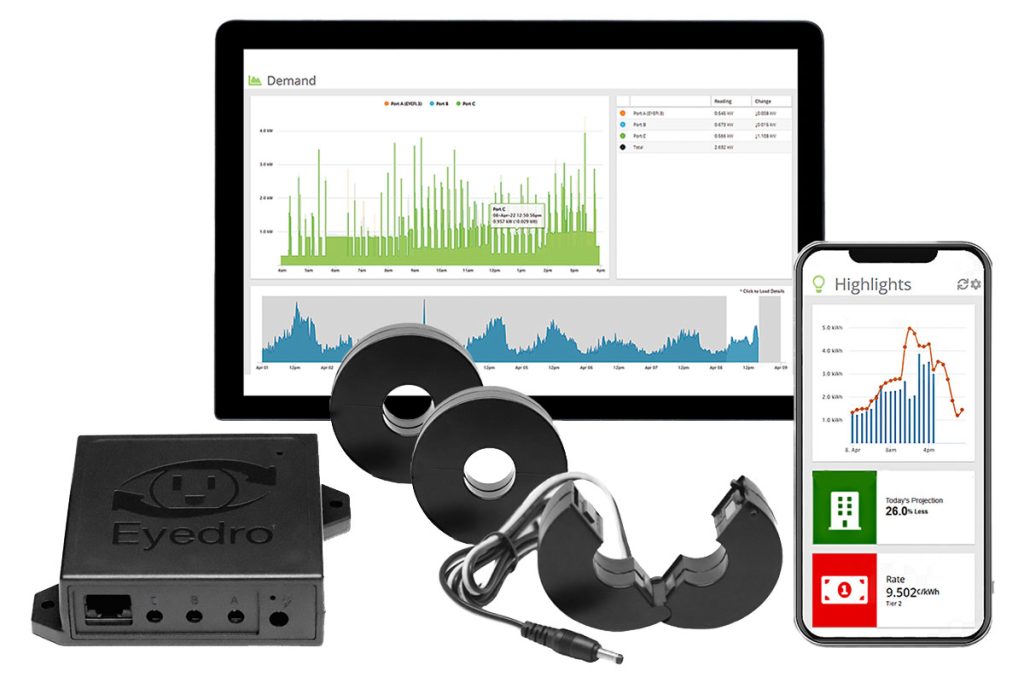
3-Phase Energy Meter

Device Limits - PreviousDevice License KeysNext - Device LimitsDisplay Groups

Still stuck? How can we help?

How can we help?

Related articles

  • Assets Configuration
  • Cost Estimator
  • Configuration
  • Edit Asset Profile
  • Add Report Profile
  • Device Installation
  • Asset Limits
  • Renewable Generation Ranking
  • Asset Profiles
  • Add Device
  • Bill Profiles
  • Tools
  • Sign Out
  • Sign In
  • Usage and Cost with Graph
  • Add Rate Profile
  • Meter
  • Unexpected or inaccurate measurements
  • License Keys
  • Display Group Sharing
  • Edit Device
  • Device Alerts
  • Peak Load
  • Electricity Monitor Settings
  • Data Exporter
  • Delta T
  • Delete Device
  • Tiered Time of Use Rate Profile
  • Asset Dashboard
  • Renewable Generation Metrics
  • MyEyedro User Guide
  • User Configuration
  • Help and Support
  • Asset Intelligence
  • Events and Alerts
  • Devices Configuration
  • Alerts Configuration
  • Inline Monitor Settings
  • Delete Asset Profile
  • Bills
  • Alerts
  • Getting Started
  • Unit Converter
  • Add Display Group
  • Report Types
  • Rates Configuration
  • Demand Instantaneous
  • Edit Report Profile
  • Edit Site
  • No internet
  • Display Groups Configuration
  • Edit Asset
  • Edit Rate Profile
  • Edit Bill Profile
  • Bill Profile Limits
  • No power
  • Alert Types
  • Navigating MyEyedro Mobile
  • Health Check
  • Reports Configuration
  • Navigating Eyedro Install Tool Mobile
  • Getting Started
  • Intermittent or missing measurements
  • Update Device Firmware
  • Beginners Guide to MyEyedro Cloud Service
  • Changing your Password
  • Edit Display Group
  • Account Access
  • Net Meter
  • Getting Started with Rates
  • RETScreen Key
  • Delete Asset
  • Temperature Monitor Settings
  • Base Load
  • Highlights
  • Alert Limit Settings (common)
  • Delete Report Profile
  • Time of Use Rate Profile
  • Asset Ranking
  • Update Preferences
  • Rate Profile Limits
  • Mesh Gateway Settings
  • Add Asset
  • Rate Profiles
  • Usage Ranking
  • Eyedro Install Tool User Guide
  • Scheduled Reports
  • Demand Average
  • Site Display Groups
  • Help and Support
  • Other Fees
  • Report Viewer
  • Consumption Threshold
  • Compare
  • Navigating Eyedro Install Tool
  • Plugins
  • Usage and Cost
  • Utility Dashboard
  • Consumption
  • Display Group Alerts
  • Pulse Monitor Settings
  • Demand Continuous
  • Demand
  • Fixed Rate Profile
  • Add Asset Profile
  • Device Uptime
  • Getting Started with Assets
  • Device License Keys
  • Delete Site
  • Troubleshooting Guide
  • Delete Display Group
  • Solar Calculator
  • Site Sharing
  • Device Info
  • Add Site
  • Delete Rate Profile
  • Net Meter
  • Reports
  • Sign Out
  • Sites Configuration
  • Display Group Limits
  • Assets
  • Add Bill Profile
  • Changing your Username
  • Display Group Device Inactive
  • Daily Tiered Rate Profile
  • Asset Metrics
  • Navigating MyEyedro
  • Site Alerts
  • Site Device Inactive
  • Negative or inverted power measurements
  • Sign In
  • Device Setup Wizard
  • Device Inactive
  • Tiered Rate Profile
  • Delete Bill Profile
  • Site Limits
  • Device Settings
  • See More
Eyedro Energy Monitoring logo

Eyedro Green Solutions Inc. is a software and electronics design company making electricity usage easy to understand. We provide simple solutions for monitoring your electricity in real-time. 

Quick Links

  • Product Catalog
  • MyEyedro Cloud
  • Technical Support
  • Documentation
  • News
  • Contact
  • Company Information
  • Privacy Policy
  • Return Policy
  • Terms of Use
  • Product Catalog
  • MyEyedro Cloud
  • Technical Support
  • Documentation
  • News
  • Contact
  • Company Information
  • Privacy Policy
  • Return Policy
  • Terms of Use

Meter Applications

  • Electric Vehicle Energy Management
  • Energy Monitoring for Solar Installers
  • Multi-Tenant Energy Metering
  • RV/Campground Power Monitoring
  • Data Center Energy Metering
  • Smart Home Integration
  • Landlord Energy Metering
  • Home Solar Energy Management
  • Machine and Lab Equipment Monitoring
  • Home Electric Vehicle Energy Management
  • RV Park and Campground Power Monitoring
  • Cell Tower Energy Management
  • Power Monitoring for Electricians
  • Electric Vehicle Energy Management
  • Energy Monitoring for Solar Installers
  • Multi-Tenant Energy Metering
  • RV/Campground Power Monitoring
  • Data Center Energy Metering
  • Smart Home Integration
  • Landlord Energy Metering
  • Home Solar Energy Management
  • Machine and Lab Equipment Monitoring
  • Home Electric Vehicle Energy Management
  • RV Park and Campground Power Monitoring
  • Cell Tower Energy Management
  • Power Monitoring for Electricians

Get In Touch

  • 606 Colby Drive, Unit E
    Waterloo, ON, Canada N2V 1A2
  • 1-226-499-0944
  • contact@eyedro.com
© 2026 Eyedro Green Solutions Inc.
Linkedin Twitter Facebook Instagram Youtube