[et_pb_section fb_built=”1″ admin_label=”section” _builder_version=”3.22″ min_height=”1550.1px” custom_padding=”||17px|||” global_colors_info=”{}”][et_pb_row admin_label=”row” _builder_version=”4.9.4″ background_size=”initial” background_position=”top_left” background_repeat=”repeat” min_height=”990.8px” custom_margin=”-29px|auto|-9px|auto||” custom_padding=”||23px|||” global_colors_info=”{}”][et_pb_column type=”4_4″ _builder_version=”4.9.4″ custom_padding=”|||” global_colors_info=”{}” custom_padding__hover=”|||”][et_pb_text admin_label=”Main Heading H2″ _builder_version=”4.14.1″ _module_preset=”default” custom_padding=”0px|||||” hover_enabled=”0″ box_shadow_style=”preset3″ box_shadow_horizontal=”-1px” box_shadow_vertical=”18px” box_shadow_blur=”23px” box_shadow_spread=”-2px” global_colors_info=”{}” sticky_enabled=”0″]
Smart Devices
[/et_pb_text][et_pb_text admin_label=”Body Text” _builder_version=”4.14.8″ _module_preset=”default” text_font=”|600|||||||” text_font_size=”16px” custom_margin=”||0px||false|false” custom_padding=”0px||40px||false|false” hover_enabled=”0″ global_colors_info=”{}” sticky_enabled=”0″]
Smart devices are becoming the norm in today’s connected world. From smartphones and self-driving cars to a light switch you can control over the internet; or even better, an outlet that can turn itself off when your electricity bill for the day is astronomically climbing in cost.
When you are at home you can control your smart devices with convenient voice commands. Ask Amazon Alexa or Google Home for your MyEyedro energy usage data.
What about your devices that aren’t “smart”? – you can use smart plugs to turn them into connected devices!
Safety and Security
Smart devices that can be accessed remotely as needed create an added layer of security for you and your home.
- Security cameras
- Exterior lights – for your safety and a safe, well-lit neighbourhood
- Interior lights timed to come on while you are away help to deter prowlers
- Door locks
- Smoke detectors
- Carbon monoxide (CO) detectors
- Water leak detectors
Smart Home Tech Gadgets to Fulfill Every Need is a great resource that highlights a range of smart devices currently available and tips on how you can use them.
[/et_pb_text][et_pb_button button_text="Shop Eyedro Home Products" _builder_version="4.14.8" _module_preset="default" theme_builder_area="post_content" url_new_window="on" button_url="https://eyedro.com/home-electricity-monitors/" custom_button="on" button_bg_color="#8cbd47" button_bg_enable_color="on" button_text_color="#FFFFFF" hover_enabled="0" sticky_enabled="0" button_alignment="center"][/et_pb_button][et_pb_text admin_label="Smart Home Automation Heading H2" _builder_version="4.14.1" _module_preset="default" custom_padding="0px||||false|false" hover_enabled="0" box_shadow_style="preset3" box_shadow_horizontal="-1px" box_shadow_vertical="18px" box_shadow_blur="23px" box_shadow_spread="-2px" global_colors_info="{}" sticky_enabled="0" custom_margin="55px|||||"]
Smart Home Automation
[/et_pb_text][et_pb_text admin_label=”Body Text” _builder_version=”4.14.1″ _module_preset=”default” text_font=”|600|||||||” text_font_size=”16px” min_height=”83px” custom_margin=”||0px||false|false” custom_padding=”0px||25px||false|false” global_colors_info=”{}”]
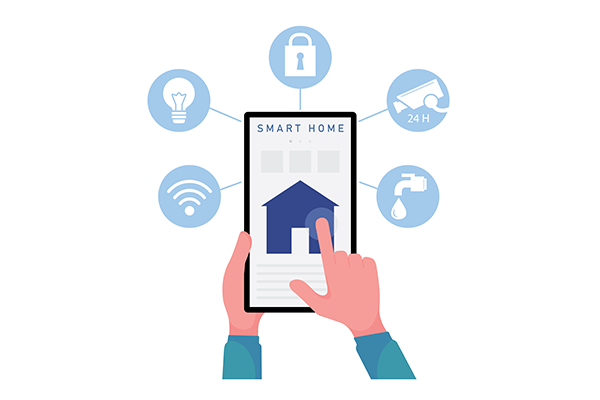
Smart home automation allows you to control your smart connected devices remotely when you are away from home. Automations can be set to control and time your devices. You can create automations that can turn on your lights at a certain time of day, which can protect your home when you are on vacation. Setting your exterior lights to turn on at dusk enhances safety for you and your neighbourhood. You could also create automations that would turn off devices such as heaters or pool pumps during the times of the day when energy costs peak.
[/et_pb_text][et_pb_image src="https://eyedro.com/wp-content/uploads/2021/11/smart-home-automation-600×600-1.png" alt="Smart Home Automation" title_text="Smart Home Automation" align="center" _builder_version="4.14.1" _module_preset="default" custom_margin="||30px|||" custom_padding="4px|||||" global_colors_info="{}"][/et_pb_image][et_pb_text admin_label="Body Text" _builder_version="4.14.1" _module_preset="default" text_font="|600|||||||" text_font_size="16px" min_height="98px" custom_margin="-36px||19px|||" custom_padding="0px||25px||false|false" global_colors_info="{}"]
Energy Efficiency
Take advantage of your smart home devices and smart home automation to time and run your appliances for maximum energy savings.
Eyedro has stepped up as a partner to make the transition between home energy monitoring and user access seamless. Purchasing and installing an Eyedro Electricity Monitor is already a great idea to get an understanding of your home energy usage in real time from anywhere. However, what if you’re a busy person, your hands are always full or you just don’t have time to log into the MyEyedro Cloud service when you need to? Being newly updated and freshly integrated with Amazon, Google and Samsung SmartThings, you can link your MyEyedro service to your Assistant devices and just by saying “Talk to MyEyedro” you’ll be able to ask for some common insights without lifting a finger. Some sample functions of the integrations are “Get Highlights”, “Get Demand”, “Get Demand Changes” and “Get Bill Estimate”.
[/et_pb_text][/et_pb_column][/et_pb_row][/et_pb_section][et_pb_section fb_built=”1″ _builder_version=”4.9.11″ _module_preset=”default” min_height=”814.7px” custom_margin=”-379px||-280px|||” custom_padding=”0px||0px|||” global_colors_info=”{}”][et_pb_row _builder_version=”4.14.1″ _module_preset=”default” global_colors_info=”{}”][et_pb_column type=”4_4″ _builder_version=”4.14.1″ _module_preset=”default” global_colors_info=”{}”][et_pb_text admin_label=”Main Heading H2″ _builder_version=”4.9.11″ _module_preset=”default” min_height=”38px” custom_margin=”-3px||32px|||” custom_padding=”0px||5px|||” box_shadow_style=”preset3″ box_shadow_horizontal=”-1px” box_shadow_vertical=”18px” box_shadow_blur=”23px” box_shadow_spread=”-2px” global_colors_info=”{}”]
Available Integrations
[/et_pb_text][/et_pb_column][/et_pb_row][et_pb_row column_structure="1_3,1_3,1_3" _builder_version="4.14.1" _module_preset="default" min_height="434.6px" custom_margin="-49px|auto|0px|auto|false|false" custom_padding="|||40px|false|false" global_colors_info="{}"][et_pb_column type="1_3" _builder_version="4.14.1" _module_preset="default" global_colors_info="{}"][et_pb_image src="https://eyedro.com/wp-content/uploads/2021/08/alexa-myeyedro-highlights-259x259png.png" alt="Amazon Alexa Eyedro Integration" title_text="Amazon Alexa Eyedro Integrationo" url="https://eyedro.com/amazon-alexa-integration/" url_new_window="on" align="center" admin_label="Alexa Integration Image" _builder_version="4.14.1" _module_preset="default" box_shadow_style="preset3" global_colors_info="{}"][/et_pb_image][et_pb_text _builder_version="4.14.8" _module_preset="default" text_font_size="16px" hover_enabled="0" global_colors_info="{}" sticky_enabled="0"]
Amazon Alexa Integration
Access your electricity information through your Amazon Echo simply by saying, “Alexa, ask MyEyedro …”
[/et_pb_text][/et_pb_column][et_pb_column type="1_3" _builder_version="4.9.11" _module_preset="default" global_colors_info="{}"][et_pb_image src="https://eyedro.com/wp-content/uploads/2021/08/google-assistant-integration-259×259-1.png" alt="Google Assistant Eyedro Integration" title_text="Google Assistant Eyedro Integration" url="https://eyedro.com/?page_id=18511" url_new_window="on" align="center" admin_label="Google Assistant Image" _builder_version="4.14.1" _module_preset="default" box_shadow_style="preset3" global_colors_info="{}"][/et_pb_image][et_pb_text _builder_version="4.14.8" _module_preset="default" text_font_size="16px" hover_enabled="0" global_colors_info="{}" sticky_enabled="0"]
Google Assistant Integration
Access your electricity information through your Google Home simply by saying, “Ok Google, talk to MyEyedro.”
[/et_pb_text][/et_pb_column][et_pb_column type="1_3" _builder_version="4.9.11" _module_preset="default" global_colors_info="{}"][et_pb_image src="https://eyedro.com/wp-content/uploads/2021/08/smartthings-integration-259×259-1.png" alt="Samsung SmartThings Eyedro Integration" title_text="Samsung SmartThings Eyedro Integration" url="https://eyedro.com/samsung-smartthings-integration/" url_new_window="on" align="center" admin_label="Samsung SmartThings Image" _builder_version="4.14.1" _module_preset="default" box_shadow_style="preset3" global_colors_info="{}"][/et_pb_image][et_pb_text _builder_version="4.14.8" _module_preset="default" text_font_size="16px" custom_margin="||37px|||" hover_enabled="0" global_colors_info="{}" sticky_enabled="0"]
Samsung SmartThings Integration
Access your electricity information through your SmartThings mobile app.
[/et_pb_text][/et_pb_column][/et_pb_row][et_pb_row _builder_version=”4.9.11″ _module_preset=”default” min_height=”92.7px” custom_padding=”0px||0px|||” global_colors_info=”{}”][et_pb_column type=”4_4″ _builder_version=”4.9.11″ _module_preset=”default” global_colors_info=”{}”][et_pb_divider _builder_version=”4.14.1″ _module_preset=”default” custom_margin=”||0px|||” custom_padding=”5px||0px||false|false” global_colors_info=”{}”][/et_pb_divider][et_pb_text admin_label=”Energy Monitoring Made Easy Text” _builder_version=”4.9.4″ _module_preset=”default” custom_margin=”||55px||false|false” custom_padding=”10px||0px||false|false” global_colors_info=”{}”]
Energy Monitoring Made Easy
[/et_pb_text][/et_pb_column][/et_pb_row][/et_pb_section][et_pb_section fb_built="1" theme_builder_area="post_content" _builder_version="4.14.8" _module_preset="default"][et_pb_row _builder_version="4.14.8" _module_preset="default" theme_builder_area="post_content"][et_pb_column _builder_version="4.14.8" _module_preset="default" type="4_4" theme_builder_area="post_content"][et_pb_button button_text="Shop Eyedro Home Products" _builder_version="4.14.8" _module_preset="default" theme_builder_area="post_content" url_new_window="on" button_url="https://eyedro.com/home-electricity-monitors/" custom_button="on" button_bg_color="#8cbd47" button_bg_enable_color="on" button_text_color="#FFFFFF" hover_enabled="0" sticky_enabled="0" button_alignment="center"][/et_pb_button][/et_pb_column][/et_pb_row][/et_pb_section]