
MyEyedro

MyEyedro Cloud Overview
The MyEyedro cloud platform has a new look, new features and provides a more responsive experience for mobile users.

The MyEyedro cloud platform has a new look, new features and provides a more responsive experience for mobile users.
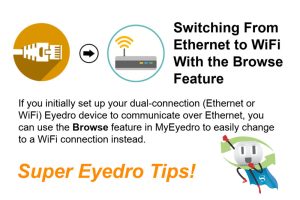
Switch your Ethernet connected Eyedro Home or Business energy monitor to a WiFi connection in 5 easy steps right from the Devices settings in your MyEyedro account.
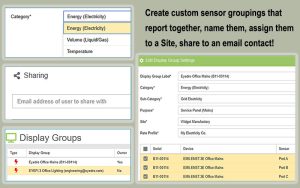
The MyEyedro cloud platform display group configuration allows you to assign your individual current sensors to groups that report together, e.g. mains, branch circuits or solar. You can also create a Display Group that contains all of your sensors, give the groups custom names and create email shares.
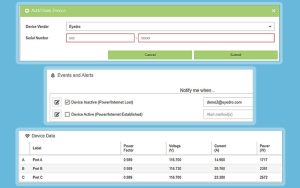
The MyEyedro cloud platform device configuration allows you to claim your Eyedro devices to your account, assign personalized names to each device as well as adjust device parameters such as current multipliers, current direction for solar and net metering and also set device specific alerts.
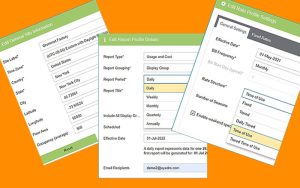
The MyEyedro cloud platform Configuration menu enables homeowners and businesses to customize their MyEyedro account with their utility rates, create display groups, claim Eyedro devices, configure alerts and sites, create custom reports, and change their account password.
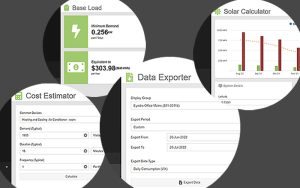
The MyEyedro cloud platform tools available to homeowners and businesses include Data Exporter for Excel exports, Base Load, Peak Load, Unit Converter, Cost Estimator, and Solar Calculator.
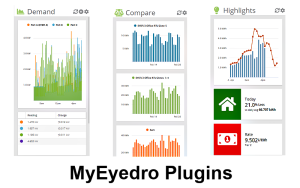
The MyEyedro cloud platform plugins provide detailed real-time and historical energy usage data for homeowners and business which enable them to make changes to their electrical consumption patterns and save money.
Track your home’s energy footprint with an Eyedro real-time power usage monitor. Saving electricity has never been easier.
Have you ever wondered how your home electrical system works? Learn how electricity arrives at your home and how it is distributed to your home’s switches, outlets, and appliances.
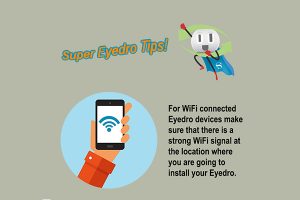
Verify that you have excellent WiFi signal strength in the spot where your WiFi connected Eyedro electricity monitor will be installed. Situate the wireless module beside your electricity panel (never inside). This will ensure a great energy monitoring experience for you!