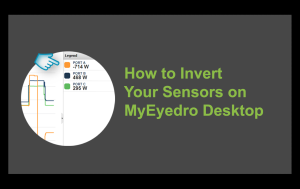
Invert Your EYEFI Sensors in MyEyedro Desktop
If your Eyedro EYEFI energy monitor is displaying measurements of the opposite polarity to what you expected, you can easily invert the polarity of your measurements right in the MyEyedro cloud software.


If your Eyedro EYEFI energy monitor is displaying measurements of the opposite polarity to what you expected, you can easily invert the polarity of your measurements right in the MyEyedro cloud software.

With an Eyedro electricity monitor you will gain an awareness of your home energy usage which you can put into action to choose energy efficient alternatives and build eco-friendly habits.

Use the MyEyedro cloud software to track your energy savings and create rebate submission reports.

Once you have a Solar System installed, the best way to extract the most value out of your Home Solar System is to get an Eyedro Solar Energy Monitor. The EYEFI-2 or EYEFI-4 are a great way to see power consumed vs. power generated. Both Solar Energy Monitors give you comprehensive reports, bill predictions plus many tools to help you optimize your energy usage and save money.

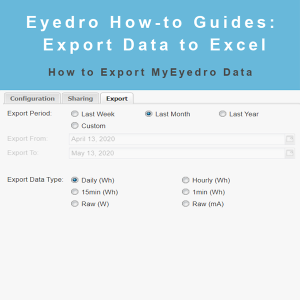
Eyedro How-to Guides: export your data to Excel as Wh or mA in a variety of time intervals.

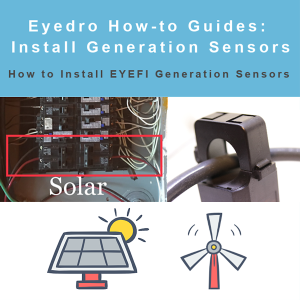
Eyedro How-to Guides: installing Eyedro EYEFI current sensors on your inverter outputs to capture generation data.

See how to install Eyedro sensors in the electrical panel.

Eyedro’s Home Energy Monitors are the best way to take the shock out of your energy bill. If you don’t know what’s causing your high bill there is no way to lower it. Get the EHEM1-LV and you’ll start to get a better sense of the devices that are costing you money so you can cut down on your next energy bill.

MyEydero How-to Guides: navigate the Summary plugin, select 15 minute, hourly, daily, weekly and monthly data, view sensors individually or as an aggregate and more.

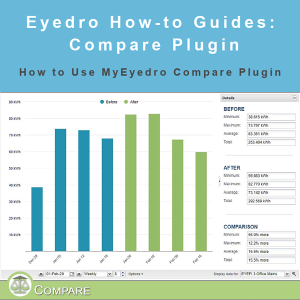
MyEydero How-to Guides: navigate the Compare plugin, compare usage by before and after a specific date as well as between 2 separate sets of sensors.