Super Eyedro Tips: WiFi Signal Strength

Eyedro home energy and solar monitor super sale EYEFI-2

[et_pb_section fb_built=”1″ admin_label=”section” _builder_version=”4.16″ global_colors_info=”{}”][et_pb_row admin_label=”row” _builder_version=”4.16″ background_size=”initial” background_position=”top_left” background_repeat=”repeat” global_colors_info=”{}”][et_pb_column type=”4_4″ _builder_version=”4.16″ custom_padding=”|||” global_colors_info=”{}” custom_padding__hover=”|||”][et_pb_text admin_label=”Main Heading H2″ _builder_version=”4.17.1″ _module_preset=”default” custom_margin=”-15px||39px||false|false” custom_padding=”0px||||false|false” box_shadow_style=”preset3″ box_shadow_horizontal=”-1px” box_shadow_vertical=”18px” box_shadow_blur=”23px” box_shadow_spread=”-2px” global_colors_info=”{}”]

Signal Strength is Key

[/et_pb_text][et_pb_image src="https://eyedro.com/wp-content/uploads/2022/05/super-eyedro-tips-wifi-strength-at-panel-jpghi-600×400-1.jpg" alt="WiFi strength at panel" title_text="WiFi strength at panel" align="center" disabled_on="off|off|off" admin_label="WiFi strength at panel image" _builder_version="4.17.1" _module_preset="default" custom_margin="10px||||false|false" custom_padding="38px||4px||false|false" border_color_all="#8F8F8F" box_shadow_style="preset3" box_shadow_spread="1px" global_colors_info="{}"][/et_pb_image][et_pb_text admin_label="Energy Monitoring Made Easy Text" _builder_version="4.22.2" _module_preset="default" text_font="|600|||||||" text_font_size="22px" header_font="|600|||||||" header_font_size="32px" header_2_font="|600|||||||" header_2_font_size="30px" header_3_font="|600|||||||" header_3_font_size="28px" custom_margin="||25px||false|false" custom_padding="10px||0px||false|false" global_colors_info="{}"]

Energy Monitoring Made Easy

[/et_pb_text][et_pb_text admin_label=”Body Text” _builder_version=”4.22.2″ _module_preset=”default” text_font=”|600|||||||” text_font_size=”17px” custom_padding=”0px||18px||false|false” global_colors_info=”{}”]

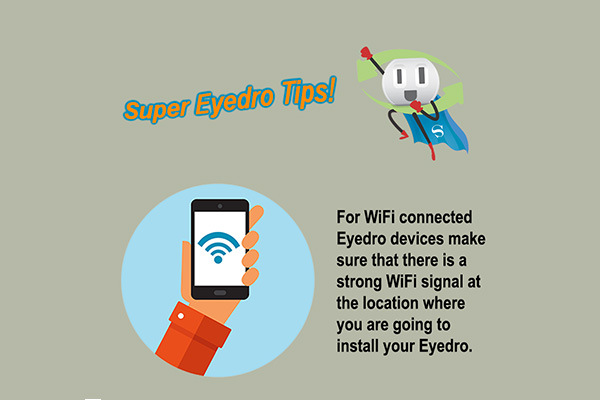
WiFi signal strength can be checked with any mobile device that is connected to your home or business WiFi network.  Simply take your phone, tablet or computer to the spot where your WiFi connected Eyedro module will be installed (beside your electrical panel), and check the strength of the signal.

Eyedro WiFi connected devices communicate over your router’s 2.4 GHz band.  Newer routers are often dual band (2.4G & 5G). Make sure that you select the correct network when testing signal strength and setting up your Eyedro.

Ensuring that you have full WiFi bars will help prevent connection drops and provide you with the best energy monitoring experience!

*Note: never install your wireless Eyedro module inside the metal panel as this will severely disrupt the signal from the device to your router.


[/et_pb_text][et_pb_text admin_label=”Main Heading H2″ _builder_version=”4.17.1″ _module_preset=”default” header_font=”|600|||||||” header_2_font=”|600|||||||” custom_margin=”-15px||39px||false|false” custom_padding=”0px||||false|false” box_shadow_style=”preset3″ box_shadow_horizontal=”-1px” box_shadow_vertical=”18px” box_shadow_blur=”23px” box_shadow_spread=”-2px” global_colors_info=”{}”]

Eyedro User Manuals

[/et_pb_text][et_pb_text admin_label=”Eyedro Manual Links” _builder_version=”4.22.2″ _module_preset=”default” text_font=”|600|||||||” text_font_size=”17px” custom_margin=”38px|||||” custom_padding=”0px||18px||false|false” global_colors_info=”{}”]

For detailed Eyedro product specifications, installation, and MyEyedro cloud software information please refer to the following Eyedro manuals:

MyEyedro Cloud Software Manual

Eyedro Home Products Guide

Eyedro Business Products Guide

Eyedro Technical Support


[/et_pb_text][et_pb_video image_src=”//i.ytimg.com/vi/0CnaxY7C1go/hqdefault.jpg” _builder_version=”4.16″ _module_preset=”default” db_limit_youtube_related_videos_to_same_channel=”on” global_colors_info=”{}”][/et_pb_video][/et_pb_column][/et_pb_row][/et_pb_section]

Share this Article: