![You can retrieve data locally by connecting your device directly to the Eyedro module's broadcasted Wi-Fi network (for example, EyedroWifi [A14-12345]). Once connected to the local network, you can query the module's built-in web server using the /getdata command to instantly retrieve your current measurement values. The /dashboard and /settings pages can also be accessed using this exact same format.](https://eyedro.com/wp-content/uploads/2019/01/get-data-api-sample-code-jpgmd-1200x670-1-300x168.jpg)
How-to Guide

Eyedro /getdata API Command (Sample Code)
How to Retrieve Eyedro Data Locally Without Internet

How to Retrieve Eyedro Data Locally Without Internet
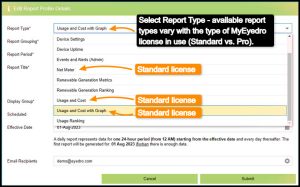

Overview of MyEyedro Reports Configuration including time interval, reports scheduling, email sharing, reports type, reports options based on MyEyedro license type and reports list and status.

For Eyedro energy monitors that are directional sensing capable, you can easily invert the polarity of your Eyedro measurements right in the MyEyedro cloud software Device Settings. No need to physically flip the current sensors in your electrical panel!
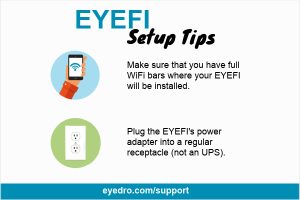
Get your Eyedro EYEFI up and running quickly and easily with a few installation tips.
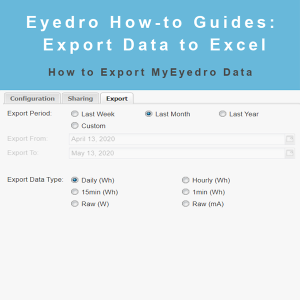
Eyedro How-to Guides: export your data to Excel as Wh or mA in a variety of time intervals.


Eyedro How-to Guides: installing Eyedro EYEFI current sensors on your inverter outputs to capture generation data.

MyEydero How-to Guides: navigate the Compare plugin, compare usage by before and after a specific date as well as between 2 separate sets of sensors.

MyEydero How-to Guides: navigate the Base Load plugin, determine total standby and always-on critical systems power by Display Group.
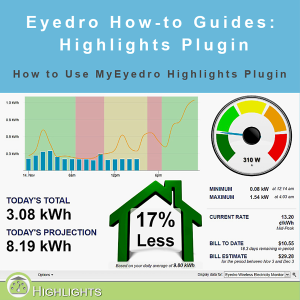
Eydero How-to Guides: navigate the Highlights Plugin, view daily usage, projected usage and more.
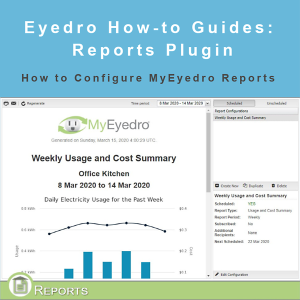
How to configure Reports in MyEyedro. Select time interval, scheduled or unscheduled and more.