MyEyedro Sites Configuration

Eyedro Sites

MyEyedro Sites Configuration

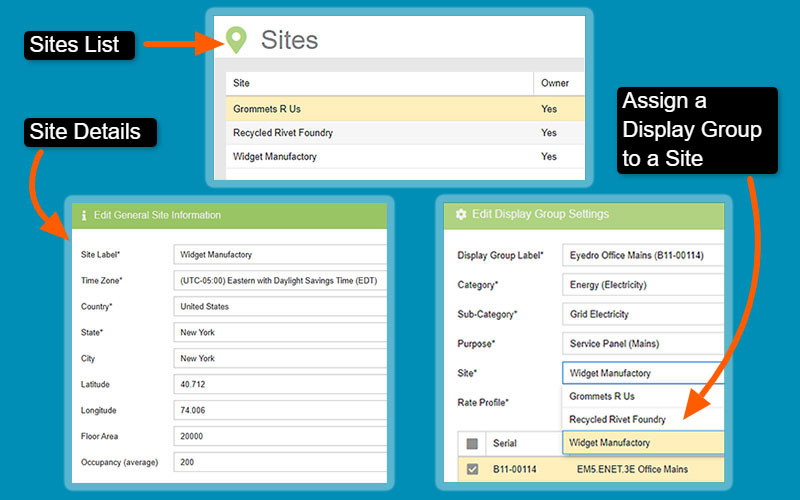
MyEyedro Sites configuration settings allow you to create Sites based on location or function, set Site details such as time zone, location, geographical coordinates, floor space, etc., assign Display Groups to a specific Site and also share Sites by email.

There are direct links from MyEyedro cloud pages to the MyEyedro User Guide for help with any of the Configuration menu items. Just click the ? at the top right corner of any page in your MyEyedro account and the appropriate help section will open.

  • Create Sites based on physical location or function
  • Customize Site details such as city & state, occupancy & floor space
  • Assign a Display Group to a Site
  • Share Sites via email

Energy Monitoring Made Easy

Refer to the MyEyedro User Guide for in-depth details on all the MyEyedro plugins.

Unlock advanced alerts, asset intelligence, asset profiles, advanced reports, RETScreen integration, and more with a MyEyedro Pro license.

Share this Article: