
Device Display Groups | MyEyedro User Guide
To view Device Display Groups, navigate to the Devices Configuration plugin and select the desired site from the list.
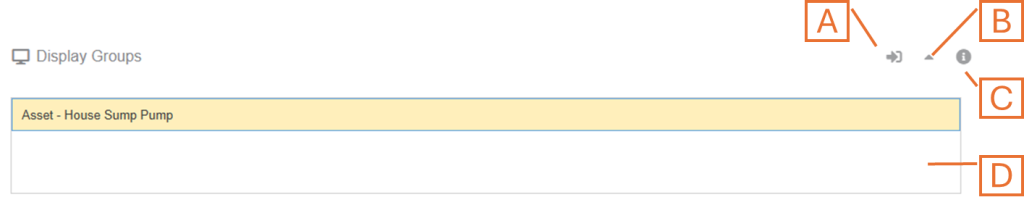
- Navigate to Display Group Configuration shortcut. This will open the display group configuration plugin and automatically select the display group selected in the list (D).
- Expand or Collapse the Display Groups panel.
- Hover over the Information button to see pop-up tips.
- List of Display Groups linked to the selected site.