
Device lights: LED status and error codes | Troubleshooting Guide
Device lights are used to indicate device status and error codes. These lights (LEDs), on most hardware products can be used to aid in troubleshooting of common issues. If you are having issues with your device, one of the first places to start would be to look at the status code shown on the device lights.
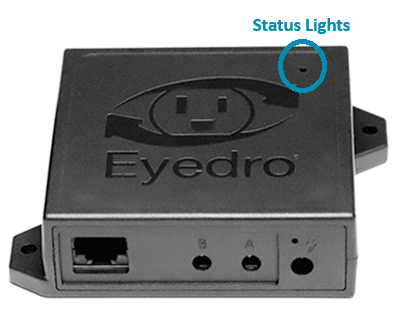
For all Electricity, Flow and Temperature monitoring products, the status lights can be seen by looking through the small opening in the top right corner of the device surface.
NOTE: Older generations of hardware may not have status lights and/or they may not be visible. In general, if your device looks similar to the device pictured here, or is an Inline Power meter, it will have visible status LEDs.
Use the following interface to select a status, view its meaning and be presented with tips to troubleshoot and resolve.