
Delete License Key | MyEyedro User Guide
Expired license keys will remain in the License Key list until one of the following occur:
- A new license is assigned to the same device, replacing the existing expired license key
- The expired device is explicitly removed from the list following the steps below
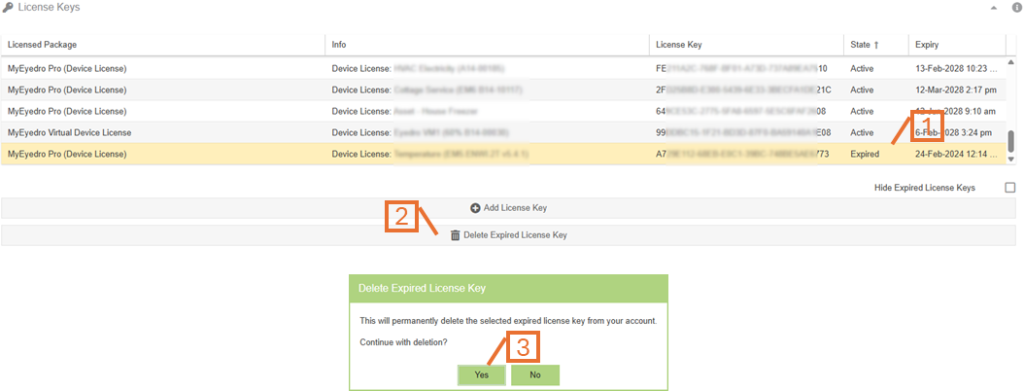
- From the License Keys panel of the Licenses Configuration plugin, select the expired license key item from the list.
- The license key State will show “Expired”. This indicates that the license has expired.
- Ensure the Hide Expired License Keys option, in the bottom right corner below the list, is unchecked.
- Click on the Delete Expired License Key button.
- When prompted to confirm the deletion, click on the Yes button.
- The list will reload and the expired license key item should no longer be present.