
Unit Converter | MyEyedro User Guide
The MyEyedro Unit Converter tool converts common units of measurements.
PRO TIP: If you do not see this item in your MyEyedro Navigation Menu, use the User Preferences plugin to add it, if available, following the instructions outlined here. NOTE: Not all plugins are available to all users.
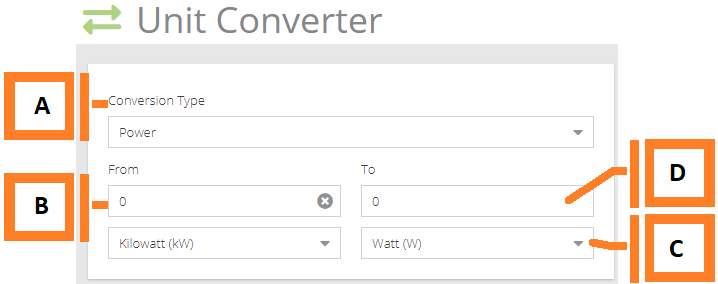
- Conversion Type. Select the type of measurements. Changing the type will change the list of available units. Available types are; Power, Energy and Temperature.
- Convert From. Enter the value to be converted and select the appropriate starting unit.
- Convert To Units. The unit that the resulting value will be displayed in.
- Result. The resulting value.