
Licenses Configuration | MyEyedro User Guide
The Licenses Configuration plugin is where you can view all existing License Keys.
License Keys can be added to your account to unlock additional features. An example would be a MyEyedro Professional license to unlock features like threshold alerts and additional plugins and reports.
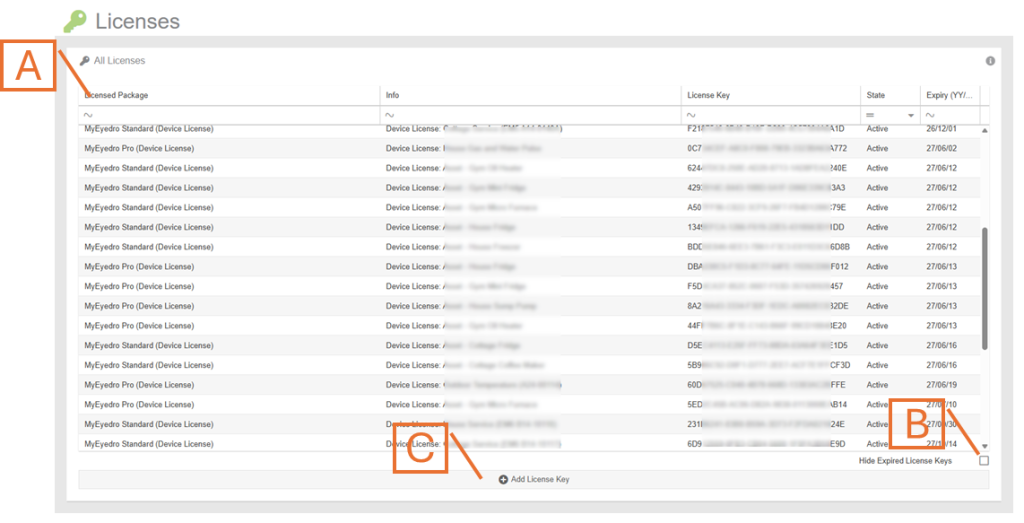
- License Key List. Displays a list of all License Keys that you have claimed under your MyEyedro user account.
- Hide Expired License Keys button. Check this option to hide any expired licenses from view.
- Add License Key button.
- Delete Expired License Key button (not shown). If you have selected an expired item from the license key list, you can optionally choose to permanently delete the item. NOTE: Only delete expired licenses if you intend not to renew it. Any expired license keys will automatically be deleted if you add a new key to the same item.