
Edit Asset Profile | MyEyedro User Guide
To edit an asset profile, navigate to the Assets Configuration plugin.
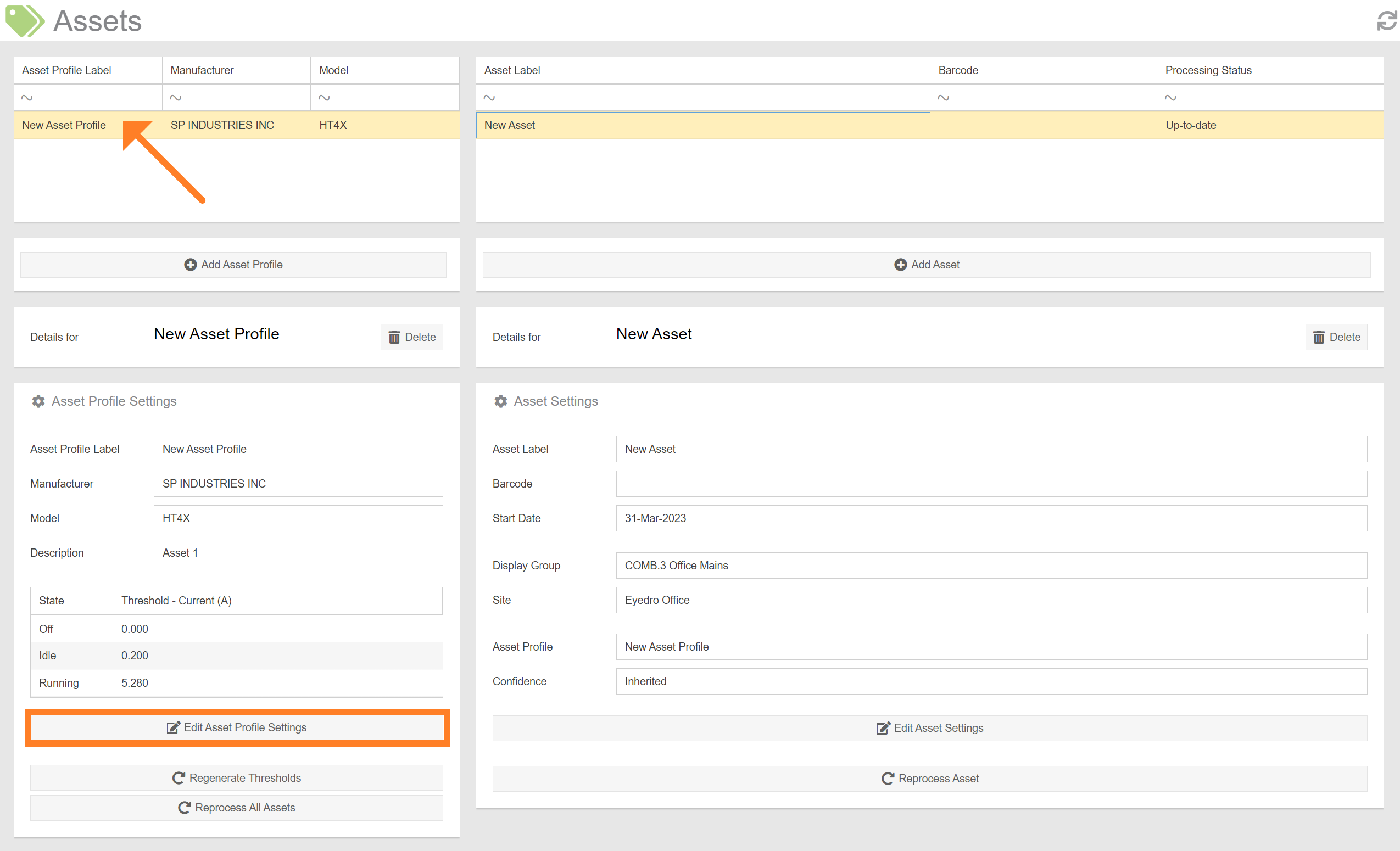
- Select the asset profile you’d like to edit from the list.
- Click the ‘Edit Asset Profile Settings’ button.
- This will open a form which is used to specify the details of the profile. See the section on Adding an Asset Profile for a description of each field.
- Once you’re satisfied with the edited information, click ‘Submit’ to save your changes.
IMPORTANT: Modification of parameters that affect the results of the state processing (i.e. threshold(s) or hold time), will result in ALL assets associated with the profile to be reprocessed. Depending on the number of assets, and how much historical data each has (i.e. the asset’s Start Date), this can take a long time to complete.